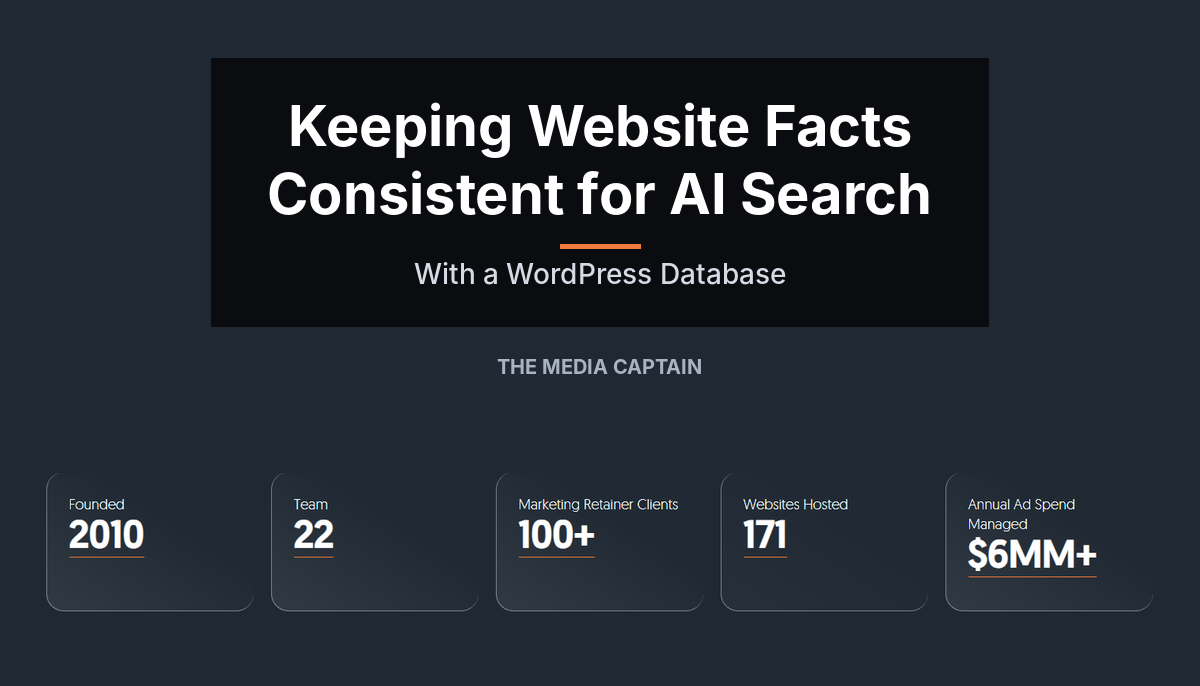
When the facts on your website contradict each other, AI search tools have to guess which version is true. We built a WordPress database that stores each key fact once and feeds it to every page where it appears, so the site always says the same thing.
We found this problem on our own site first. Our team size was listed as 20 on some pages, 25 on others and 30 on others. Our team has grown and shifted over the years, and at different points we counted only full-time staff while at others we included contractors. Our Google review count changes constantly, and so does the ad spend we manage across Google and Meta, a number we like to highlight to show how much we’re managing for clients. Most of these numbers were accurate at some point, then drifted as the business changed.
The issue shows up on almost every site we audit, in two forms. Some facts are simply wrong in places, like an outdated business name or a conflicting founding year. Those need a one-time cleanup. Others are numbers that keep changing.
I’m the owner of The Media Captain and am involved in the concepts and rollout of new tools across AI and SEO. I sat down with our development team to explain how this works and how it can benefit your business.
The Facts That Drift
Our database is simple: just a handful of facts like the ones below. But those facts appear 277 times across 167 pages of our site. Nearly every business has a handful of facts like these. Every time one changes, every page that mentions it goes out of date unless someone remembers to update it by hand.
Each of these numbers already lives in a system that knows the true value. For us, several come from our Navigator Tool, an internal platform we built to run the day-to-day of our agency. Others, like our Google review count and ad spend, come straight from Google. The database pulls them all together and feeds them into WordPress.
| Fact on our site | Source of truth |
|---|---|
| Combined review count | Google Business Profile and Clutch, a popular B2B directory |
| Google rating | Google Business Profile |
| Ad spend managed | Google Ads |
| Keywords on page one of Google | DataForSEO |
| Websites hosted | Our internal CRM database, via our Navigator tool |
| Marketing retainer clients | Navigator tool |
| Team count | The org chart in our Navigator tool |
| Years in business | Calculated from our founding year, 2010 |

Step One: The Audit
Before anything gets built, a strategist audits the site with Claude or Screaming Frog. The goal is to spot the inconsistencies: which facts conflict, and what the correct value should be.
Take our team size. The strategist only needs to flag that it is inconsistent across the site and confirm the right number. Our development team then does the heavy lifting of finding every reference, which turned out to be 160 for team size alone.
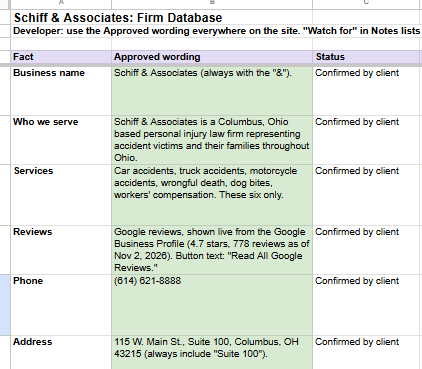
For clients, the audit ends in a list like the one below: the approved version of each fact, confirmed by the client, and the old versions to find and fix.
Changing Facts vs. Fixed Facts
The audit turns up two kinds of problems. Facts like the ones in our table change over time. When a number changes on its own, like a review count or team size, that is when we recommend storing it in the WordPress database.
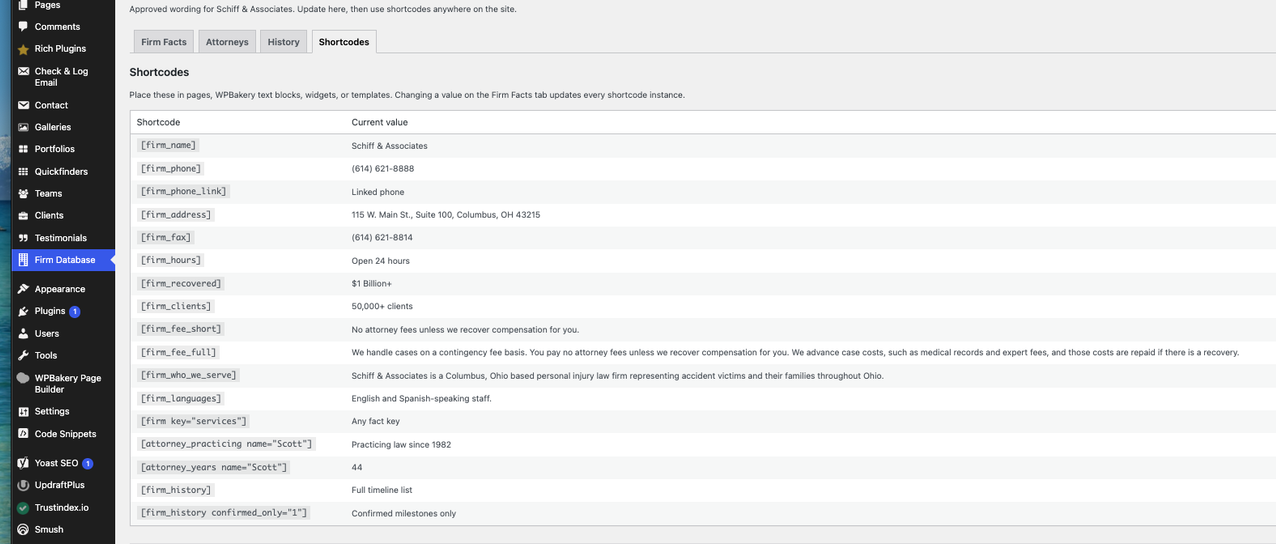
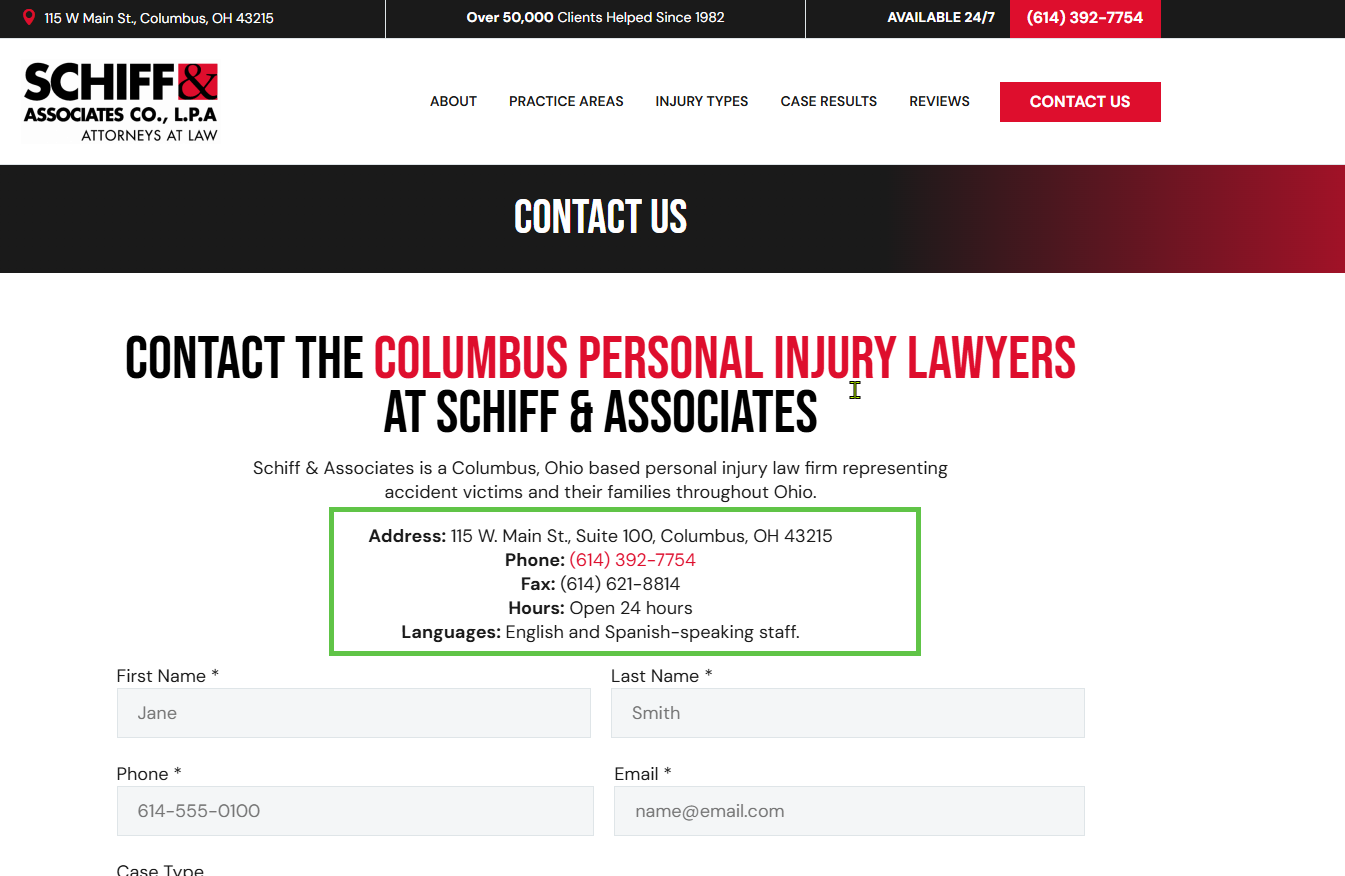
Not every fact needs a live connection. Some are simply wrong in places and need a one-time sweep. On the Schiff & Associates site, we changed every reference to the firm’s name to “Schiff & Associates,” then stored that approved wording in the database so new pages use it too.
Other facts look fixed but drive numbers that change. Schiff’s founding year, 1982, never changes, but its years in practice goes up every year. We store the founding year once and calculate years in practice from it, the same way our own site calculates years in business from 2010.
How It Works: Shortcodes and Phrase Rules
The mechanism is a WordPress shortcode, a small placeholder tag in the page content. Instead of typing “in business since 2010” into the copy, the page holds a tag for years in business.
When a visitor loads the page, WordPress sees that tag and swaps in the current value from the database. Change the value once, and every page using that shortcode updates the next time it loads.
The database refreshes on a schedule rather than on every page load. Most facts update daily, page-one keywords weekly and ad spend monthly, and years in business is calculated from our founding year, 2010. The site never shows a stale number, and there is nothing to remember to update.
Shortcodes handle new content, but most sites are already full of hardcoded numbers written before the database existed. Rewriting every page by hand is not practical.
The obvious fix would be a find-and-replace using pattern matching. Our development team warned that broad word matching is dangerous: if a rule matched “year” and swapped in a number, it would wreck every unrelated sentence containing that word.
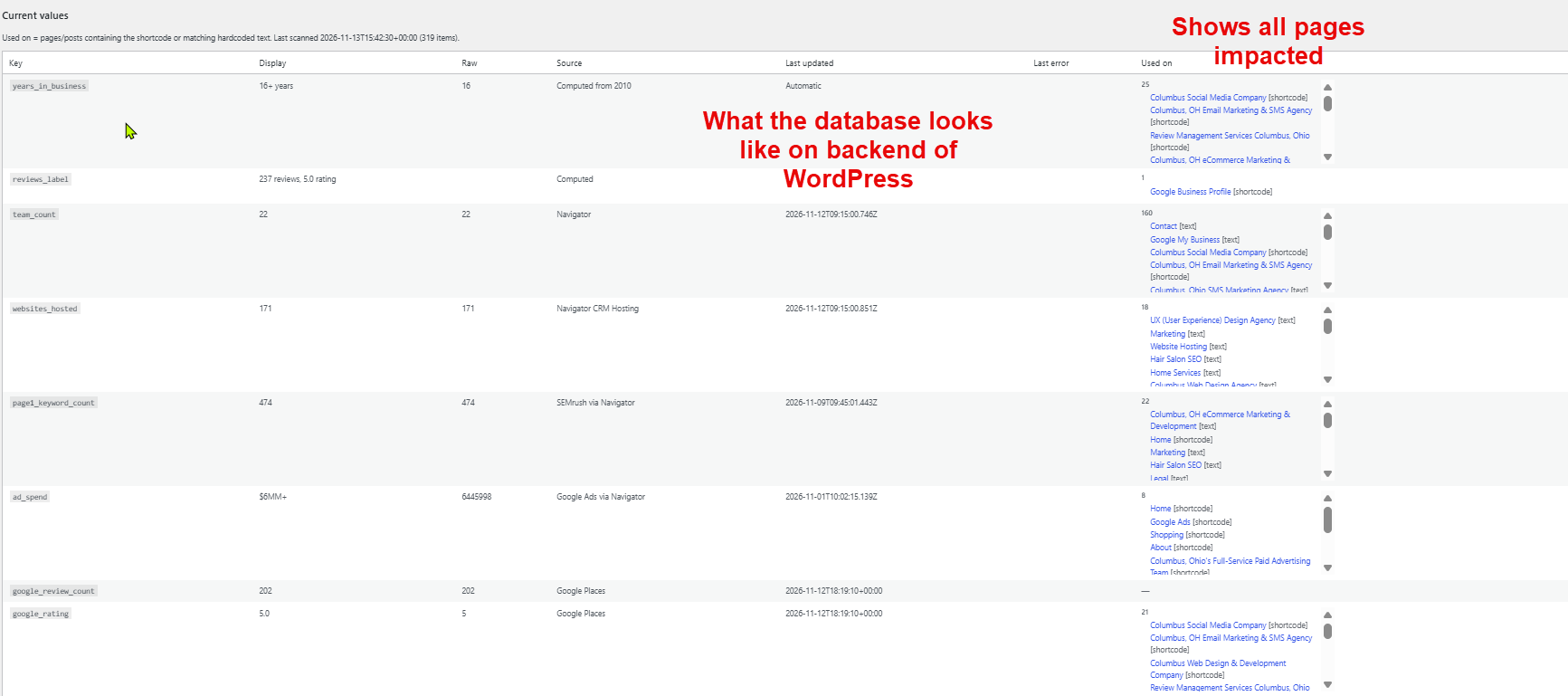
Instead, our developers find every way each fact is worded, like “Team of 22,” and turn those exact phrases into rules. When a page loads, the site rewrites each known phrase with the current number from the database. Because every rule matches a specific phrase rather than a single word, nothing unrelated gets touched. A scan in the WordPress admin shows every page where each fact appears, so nothing slips through.
Where the Numbers Come From
There are two ways to feed the shortcodes, depending on what a business already has.
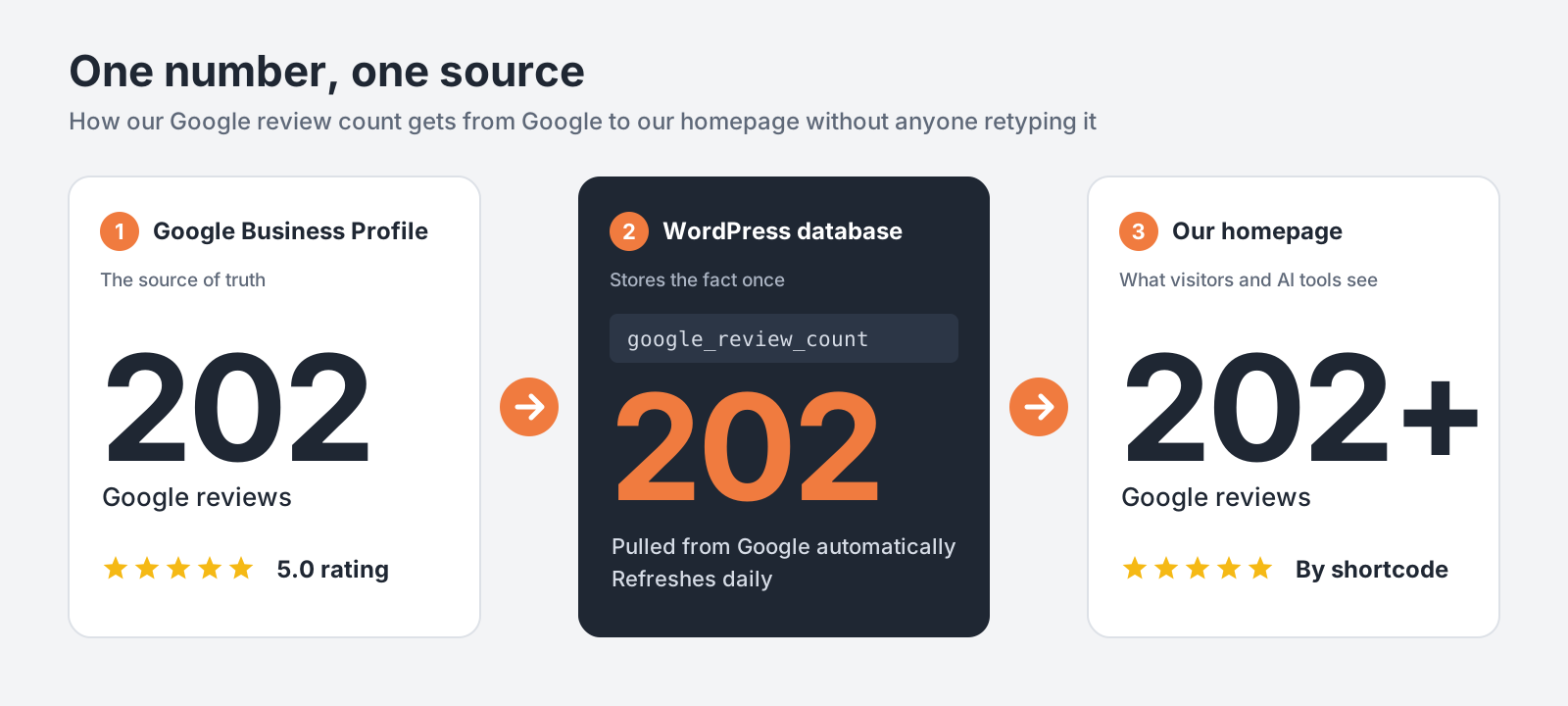
Live connections. For our own site, the database pulls each fact straight from its source of truth through an API: review counts from Google, ad spend from Google Ads, team count from our Navigator tool. Connecting to Google requires an authorized access token, but once that is in place the numbers stay current on their own.
A simple admin screen. Most businesses do not have an internal system like Navigator, and they do not need one. The values can live in a settings screen inside the WordPress admin. Someone types in the current number once, and it updates everywhere.
That’s how we set it up for Schiff & Associates, a Columbus personal injury law firm. The firm’s name, phone, address, hours, fee language and attorney details all live on one screen in their WordPress admin. When something changes, someone updates it there once, and every page that shows it updates too. Years in practice update on their own, since they’re calculated from the firm’s 1982 founding.
Who This Is For
Any business that wants AI search tools to describe it accurately benefits from saying the same thing everywhere on its own site. The setup scales to fit:
- A small business can run on the WordPress admin screen and a one-time cleanup of old references.
- A larger business or agency can connect live sources so reviews, spend and team size update automatically.
- Either way, a site audit finds every outdated reference so the cleanup is complete, not partial.
Depending on your needs, we can set this up as a plugin, a custom install in your theme, or a fully custom build connected to the systems you already use. We build it as part of our custom WordPress development work, so the setup fits how your site and business already run.
If conflicting numbers or names are showing up on your site, or in what AI tools say about you, contact The Media Captain and we will show you where the inconsistencies are.
The same approach, a different use: We connected Schottenstein Property Group’s property database to their WordPress site so every leasing PDF updates automatically, saving 50+ hours a year of manual data entry. Read the case study