If you’re creating content on YouTube, you understand the impact that an eye-catching thumbnail can have on your click-through rate (CTR).
You also probably know all too well how difficult it can be to create thumbnails that consistently drive views. We’ve been operating an agency since 2010 and have always wondered, “Did we nail this thumbnail or could we have done better?”
Well, there’s actually a solution that takes the guesswork out of choosing a YouTube thumbnail strategy and cuts down on your time and money to make them.
It’s YouTube’s A/B Testing, and we will use our firsthand experience with this feature on our channel to explain what it is and how to use it alongside Gemini’s Nano Banana tool to create a captivating thumbnail in one sitting without having to pay a designer.
An Overview of YouTube’s Thumbnail A/B Testing
YouTube initially rolled out A/B testing capabilities to 50,000 creators in June 2023, and the feature became available globally to creators last year.
There are eligibility requirements that include:
- You can only use the feature on a desktop computer through YouTube Studio.
- You must ensure advanced features are enabled.
- Videos that are Made for Kids, for mature audiences or are private cannot use this feature.
- Shorts, scheduled lives and Premiere videos are not able to be A/B tested at this time. Premiere videos become eligible after the Premiere ends and are converted to a long-form video.
We strongly recommend trying this feature for your YouTube channel because:
- Thumbnails are typically the first things viewers see and directly impact CTR, making them crucial for YouTube SEO. It’s been estimated that 80% of YouTube videos are clicked on because of the thumbnails and titles.
- A/B testing thumbnails uncovers insights about what resonates with your audience and can intelligently inform your overall YouTube thumbnail strategy.
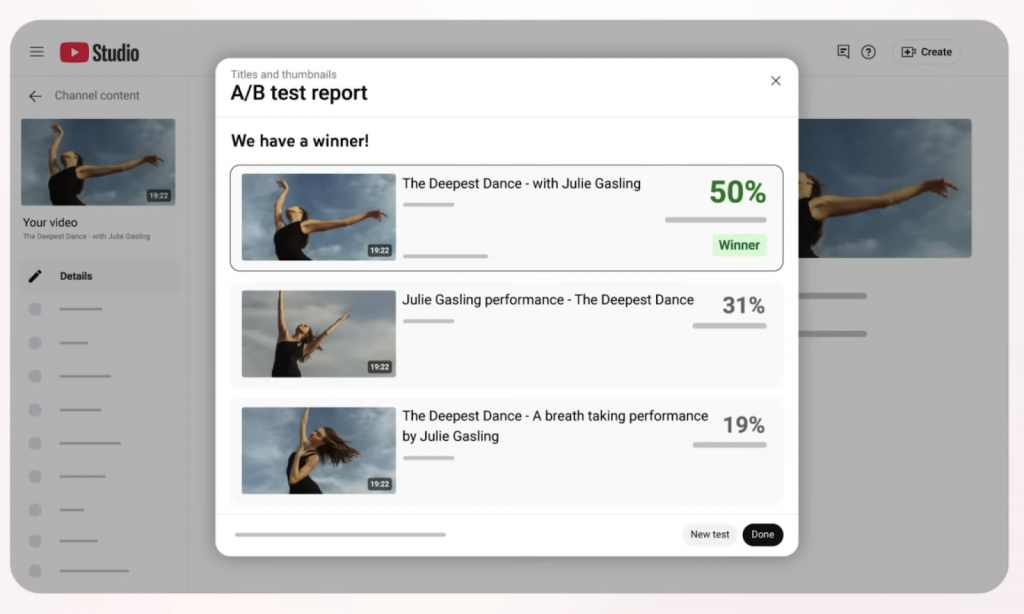
Photo courtesy of Search Engine Journal.
How YouTube’s A/B Testing Works
YouTube’s A/B testing is fairly simple to use. This is where you’ll find the option to A/B test on your YouTube video:
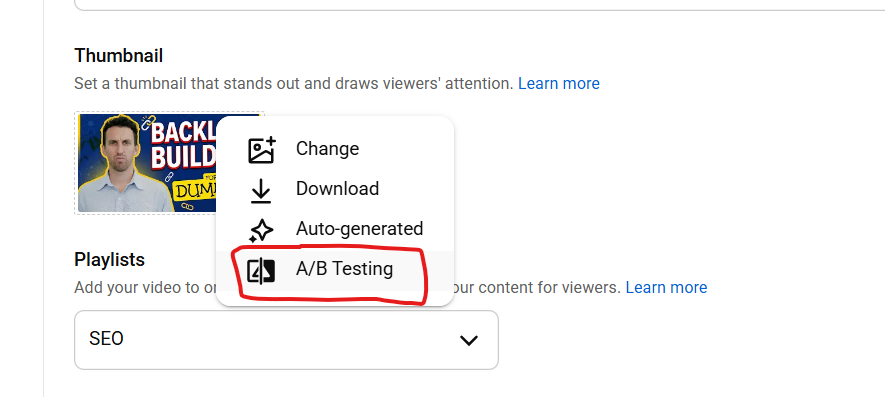
You can test up to three thumbnails at once (A vs. B vs. C). You can also test titles only and thumbnails and titles together.
Generally, tests take a few days to two weeks to yield statistically significant results.
The timeline largely depends on view volume:
- Low view counts = closer to 2 weeks
- High view counts = results can come faster
The cool thing about this feature is that YouTube will automatically select the winning thumbnail and update your video accordingly.
Here are the exact steps outlined by Google to use this feature on YouTube:
- Sign in to YouTube Studio.
- Select the video that you want to test.
- Test a new video: From the upper right-hand corner, click CREATE Upload videos. Then upload the video.
- Test an existing video: From the left menu, click Content. Click the video that you’d like to edit.
- In the Title box or under Thumbnail, click A/B testing.
- Select either Title only, Thumbnail only or Title and thumbnail.
- Upload up to three thumbnails and/or titles to test.
- Note: If a video’s title or thumbnail is changed during the test, the test will automatically stop. Then, you will need to restart the A/B test.
- Click Done.
Your test should be completed within two weeks.”
Read the full article from Google here.
Our Real Example — “Backlink Building for Dummies” Video
We tried out YouTube’s A/B testing feature on our “Backlink Building for Dummies” video.
This 12-minute video covered the history and best practices of backlink building.
We created two thumbnails using Nano Banana (more on this tool in the next section), with both generated from the same professional headshot of Jason (President of The Media Captain).
- Thumbnail A: frowning expression, gray shirt
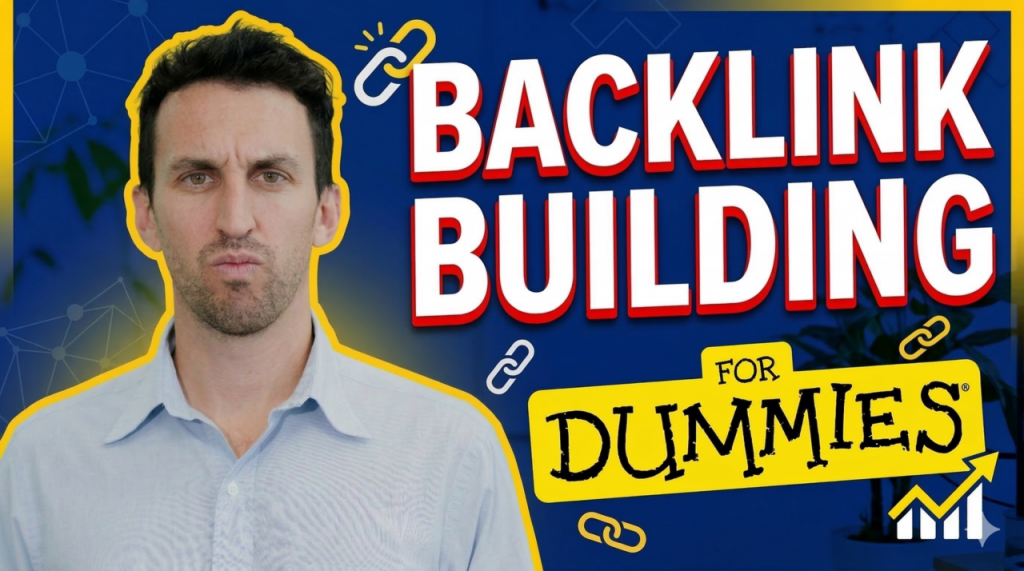
- Thumbnail B: big smile, bright blue shirt
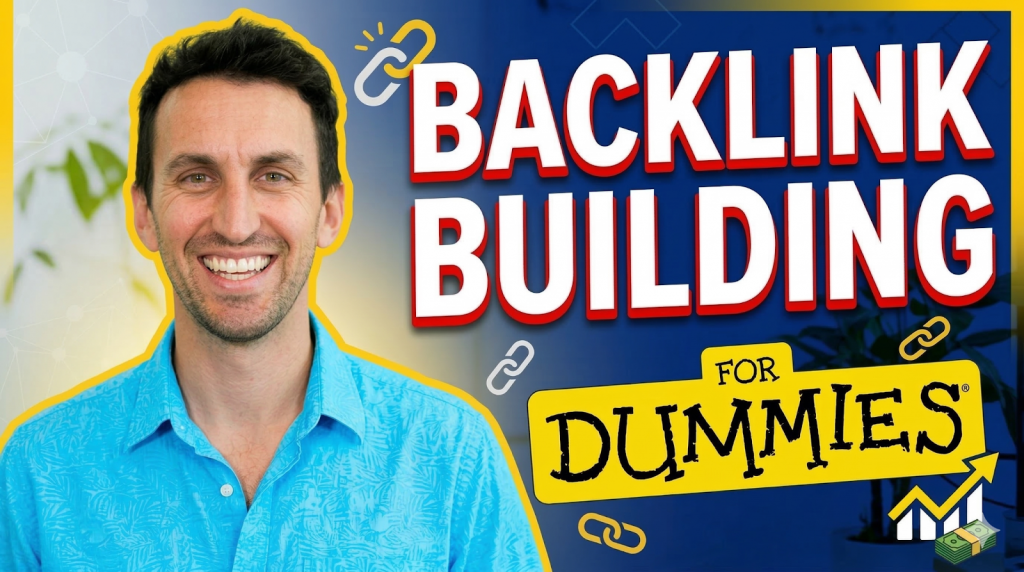
Result: Thumbnail B (smile + bright shirt) had a 1.5% higher click-through rate.
The key takeaway from our experience with this feature is that facial expression and color both affect thumbnail performance.
Leading with a strong emotive element that ignites curiosity and keeping it simple with text under 5 words are key to winning the click on YouTube.
Using Nano Banana to Create Click-Worthy YouTube Thumbnails
Our tool of choice when creating eye-catching YouTube thumbnails is Gemini’s Nano Banana 2.
All you have to do is upload a professional headshot into Nano Banana, and it will generate variations with different expressions, shirt colors, backgrounds, etc.
Here are a few tips to get the best results:
- Create a new chat/project for each thumbnail. Generating multiple thumbnails in the same chat can lead to overlap.
- Limit modifications per chat. Too many requests in one session cause quality to degrade.
- Be specific with your prompting. Explain what facial expression, background, lighting and overall tone you’re trying to convey.
Using Nano Banana allows for a hyper-efficient approach to YouTube’s A/B testing for thumbnails.
What used to take a designer 20-30 minutes to complete (even with a template) can now be done instantly and in one sitting.
Tip: Even though you’re using AI, don’t settle for a generic thumbnail. Instead, personalize the thumbnail with prompt engineering. 90% of the best-performing videos on YouTube have custom thumbnails, according to Google.
In Closing
We hope you’re ready to A/B test your way to high view counts on your next YouTube videos.
Want more marketing insights like this? Subscribe to our YouTube channel to keep up with the latest trends.